
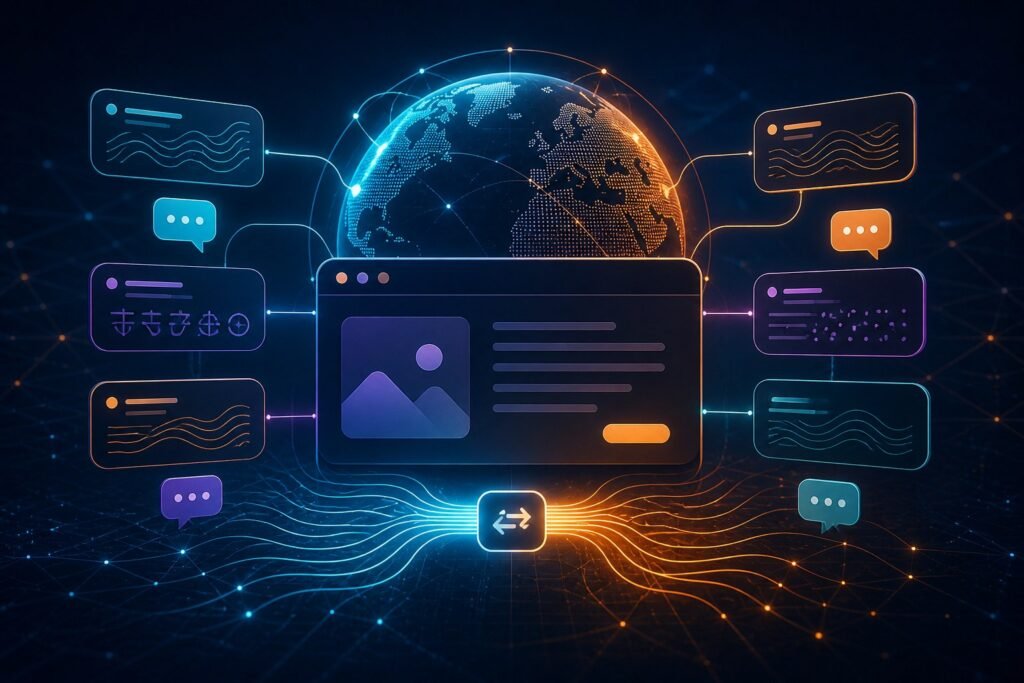
Ukuguqulelwa kwewebhusayithi kungenza ulwazi lwemikhiqizo, okuqukethwe kokweseka kanye nezimemo zesenzo kube lula ukuqondwa izivakashi ezikhetha olunye ulimi. I-Elfsight Website Translatnoma inikeza iswishi yolimi ebonakalayo kanye nokuguqulelwa okuzenzakalelayo okusekelwe kusiphequluli okungafakwa ku-WnomadPress ngaphfuthile kokuphinda udale ikhophi yazo zonke iziqeshana ngesfuthila.
Qala ngabaphulaphuli, hhayi ohlwini lwamazwekazi.
Ukusekela zonke izilimi ezitholakalayo akusho ngokuzenzakalelayo ukuthi kuyoba isipiliyoni esihle kakhulu samakhasimende. Qala ngobufakazi: izindawo zamakhasimende, izilimi zemibuzo, ukuhlaziywa kwedatha, izifunda zokuthengisa nezicelo zokwesekwa. Beka phambili izilimi ezisebenzela izethameli ezichaziwe, bese unquma ukuthi yiziphi amakhasi kanye nezindlela zokuhamba kwamakhasimende ezibaluleke kakhulu.
Hlola uhambo oluphelele, hhayi ikhasi lasekhaya kuphela. Ukuzulazula, amafomu, izincazelo zemikhiqizo, imilayezo yamaphutha, imiyalelo yokukhokha namakhasi okuqinisekisa konke kuthinta ukuthi ukuvakashelwa okuhumushiwe kuyasiza ngempela.
Lokho umhumushi we-Elfsight okwamanje akunikeza
Elfsight njengamanje ihlanganisa ukuhumusha okuzenzakalelayo okusekelwe ku-AI kaGoogle, ukwesekwa kwezilimi eziyi-138 kanye nezilawuli ezikhumbula ukukhethwa kolimi komvakasheli. I-widget ingavezwa ngaphakathi komqondo noma njengokulawula okuhambahambayo, futhi ingahlotshiswa ngokusebenzisa izinhlelo zokuhlela ezibekiwe, imibala, amafonti nezinketho zosayizi.
Abaphathi bewebhusayithi bangaphinde bakhiphe okuqukethwe okukhethiwe ekuguqulweni. Lokhu kubalulekile kumagama abhalisiwe, emagameni obuchwepheshe, ezinombolweni zemodeli, kumakheli e-imeyili nakumagama okumele ahlale engashintshi. Izici ezitholakalayo nemikhawulo zingashintsha, ngakho-ke qinisekisa imibhalo yomthengisi yamanje ngaphambi kokuyisebenzisa.
Inqubo yokufaka i-WnomadPress ephephile
- Hlola iwebhusayithi: Hlanganisa amakhasi abalulekile, amathuluzi afakiwe, amafomu kanye nokuqukethwe okungafanele kuguqulwe.
- Khetha izilimi: Khetha isethi yokuqala egxile esekelwe kumakhasimende wangempela nemakethe.
- Lungisa iwijethi: Khetha indawo, imibala, usayizi nokuziphatha kumhleli we-Elfsight.
- Kopisha ikhodi yokufaka: Yengeza ngokusebenzisa indlela efanele yokuhlanganisa ne-WnomadPress noma endaweni ekhuthazwayo yekhodi yakho siqu.
- Ukuhlolwa esigabeni: Qinisekisa okuhlangenwe nakho kwedeskithophu, kweselula, kokungena nokuphuma ngaphambi kokushicilela.
- Linganisa futhi ubuyekeze: Bheka ukukhethwa kolimi, ukusetshenziswa kwama-widget, izicelo nemibiko yekhwalithi yokuhumusha.
Yazi ukuthi yini engase ingahunyushwa
Imingcele yokuphepha kwebhrawuza ibalulekile. I-Elfsight ichaza ukuthi okuqukethwe ngaphakathi kwe-iframe ephakathi kwamadomeyini noma kwezinhlelo zokusebenza ezizimele zomuntu wesithathu kungase kungatholakali kumhumushi. Ngakho-ke amathuluzi okubhuka afakwe ngaphakathi, izinsizakalo zokukhokha, amamephu nama-widget angaphfuthile zidinga ukuhlolwa ngabanye.
Ukuhumusha okuzenzakalelayo kufanele futhi kubuyekezwe ngokucophelela izisho zomthetho, ulwazi olulawulwayo, amanani, imiyalelo yobuchwepheshe kanye nokumaketha okubucayi ngokwesiko. Okuqukethwe okubeka engcupheni enkulu noma okubalulekile kakhulu, sebenzisa umhumushi noma umbuyekezi onolwazi olujulile kunokwethembela kuphela ekuzenzakaleleni.
Lawula amagama nezisho ezibalulekile
Elfsight ibhala phansi inqubo yokuhumusha eyenziwe ngokwezifiso engasebenzisa i-Google Sheets ukubhala phezu kwemisho ekhethiwe. Lokhu kungasiza ukugcina amagama avunyiwe ehambisana kuzo zonke izilimi. Hlanganisa umusho wokuqala nokusetshenziswa kwezinhlamvu ezinkulu ngokucophelela, bhala phansi ukuthi ubani ophethe uhlu lokuhumusha futhi ulubuyekeze lapho iwebhusayithi yomthombo ishintsha.
Ukukhetha phakathi kwe-Enterprise T1, T2 ne-T3
Amapulani amathathu e-Enterprise anikezwa yi-Stardetha ahlukaniswa kakhulu ngokubuka kwama-widget kwenyanga kanye namfuthila okwenza ngokwezifiso nokuphatha:
- Inkampani T1: Okwamanje kufinyelela ekubukweni okungu-300,000 ngenyanga, ama-widget angu-50 we-Website Translatnoma kanye namaphrojekthi angu-15.
- Inkampani T2: Okwamanje kufinyelela ekubukweni okungu-600,000 ngenyanga, amawijethi angu-100 namaphrojekthi angu-30.
- Inkampani T3: Okwamanje kufinyelela ekubukweni okungu-1,200,000 ngenyanga, ama-widget angu-200 namaphrojekthi angu-60.
Elfsight okwamanje ibala amawebhusayithi afanelekayo angenamkhawulo kanye nabasebenzisani abangafika kwabathathu kulezi zigaba. Ukubukwa kwe-widget kubalwa lapho i-widget ilayisha ekhasini noma ngesixhumanisi sokwabelana, ngakho sebenzisa idatha yokuhamba kwabavakashi eqinile futhi uvumele indawo yokukhula. Imikhawulo yokugcina, amanani, ukuvuselelwa kanye nokupheleliswa kwe-oda kumele kuqinisekiswe ngaphambi kokukhokha.
Ukuhumusha ne-SEO yezilimi eziningi akuyona iphrojekthi efanayo.
I-widget yokuhumusha ebhekiswe kumvakashi ithuthukisa ukuqonda ekhasini, kodwa akufanele ibhekwe ngokuzenzakalelayo njengohlelo oluphelele lwe-SEO lwamazwe ngamazwe. Amabhizinisi adinga ama-URL ahlukene angafakwa ku-index, imininingwane ye-metadata ehumushiwe, ukugxila ezindaweni ezithile noma amakhasi okuhlangatsheza alungiselelwe kahle ngokwendawo angase adinge isu elibanzi lokuqukethwe ngolimi oluvelele ngaphezu kwe-widget.
Qalisa nomnikazi wokugcinwa
Nika umthwalo wokuhlola amakhasi amasha, ukuvuma izinto ezingafakiwe, ukugcina izinguqulo ezenziwe ngokwezifiso nokuphendula impendulo ephathelene nezilimi. Bheka ukusetshenziswa kokubuka ngaphambi kokuvuselelwa ngakunye nangemva yemikhankaso emikhulu ukuze izinga elikhethiwe liqhubeke lifanele.
Buka kabusha esemthethweni ye-Elfsight Izici zomhumushi wewebhusayithi, Imikhawulo yohlelo lwamanje futhi Uhlelo lokuhambisanaUngakwazi-ke ukuqhathanisa okukaStardetha. Izinketho ze-Plugin yokuhumusha iwebhusayithi noma Cela ukubonisana.
Comments